Playing Games on MAME
Playing Games on the KN5000 in MAME
This guide walks you through running homebrew games on the Technics KN5000 using the MAME emulator. No physical hardware required.
What You Need
| Item | Source |
|---|---|
| MAME (with KN5000 driver) | Build from source: GitHub |
| Original KN5000 ROM dumps | Dump from your own KN5000 keyboard (see Help Wanted) |
| Game source code | See individual game sections below |
Important: The KN5000 driver is not yet in upstream MAME. You must build from the
kn5000_pr5_driverbranch of the fork linked above. See Building MAME below.
Building MAME
git clone https://github.com/felipesanches/mame.git -b kn5000_pr5_driver
cd mame

# Incremental build (KN5000 driver only — much faster than full MAME)
make -j$(nproc) SOURCES=src/mame/matsushita/kn5000.cpp
This produces a mame binary in the current directory.
ROM Setup
The KN5000 driver expects ROM files in a kn5000/ directory within your ROM path. The required files are:
| Filename | Size | Description |
|---|---|---|
kn5000_v10_program.rom |
2 MB | Main CPU firmware |
kn5000_subcpu_boot.ic30 |
128 KB | Sub CPU boot ROM |
kn5000_subprogram_v142_compressed.rom |
~93 KB | Sub CPU payload (compressed) |
kn5000_rhythm_data_rom.ic14 |
4 MB | Rhythm/waveform data |
kn5000_custom_data_rom.ic19 |
1 MB | Custom data |
kn5000_table_data_rom_even.ic3 |
1 MB | Table data (even bytes) |
kn5000_table_data_rom_odd.ic1 |
1 MB | Table data (odd bytes) |
kn5000_waveform_rom.ic307 |
4 MB | Waveform ROM |
Place these in a directory structure like:
/path/to/roms/kn5000/
  kn5000_v10_program.rom
  kn5000_subcpu_boot.ic30
  ...
Quick Test — Boot the Firmware
./mame kn5000 -rompath /path/to/roms -window -skip_gameinfo
You should see the KN5000 control panel with the LCD displaying the startup screen.
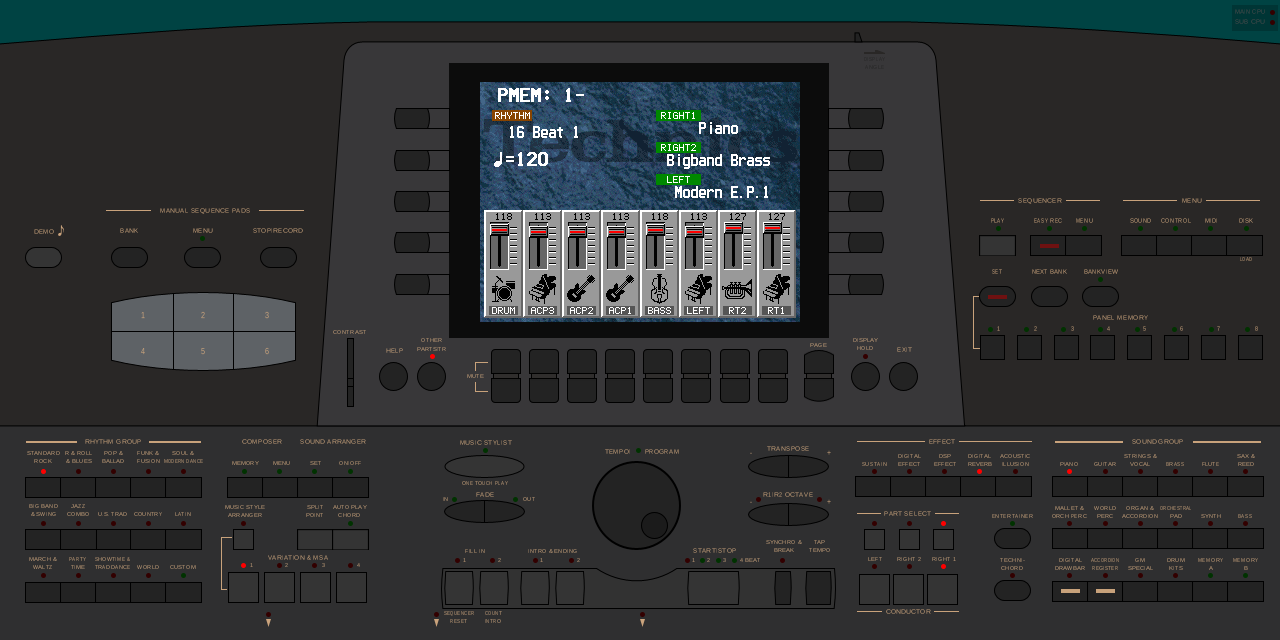 The KN5000 firmware fully booted in MAME, showing the default Panel Memory screen with instrument assignments and rhythm levels.
Game 1: Another World
A port of Delphine Software’s Another World (1991) running natively on the KN5000. The original Amiga bytecode VM is reimplemented in TLCS-900/H2 assembly, executing unmodified game data on the keyboard hardware.
See: Another World VM technical details
Prerequisites
- ASL Macro Assembler (
aslandp2bin) - Original Another World game data files (DOS version)
- Python 3 (for resource extraction)
Build
git clone https://github.com/felipesanches/custom-kn5000-roms.git
cd custom-kn5000-roms/anotherworld

# Place your Another World DOS game files in game_data/MSDOS/
# Required: BANK*, MEMLIST.BIN

make
This builds a custom main CPU ROM with the game replacing the firmware, and assembles a complete MAME ROM set.
Run
# Standalone ROM (replaces firmware — game runs directly from boot)
./mame kn5000 -rompath /path/to/custom-roms/anotherworld -window -skip_gameinfo

# Or use the Makefile shortcut:
cd custom-kn5000-roms/anotherworld
make test
The game starts immediately — the intro cinematic plays on the KN5000’s LCD.
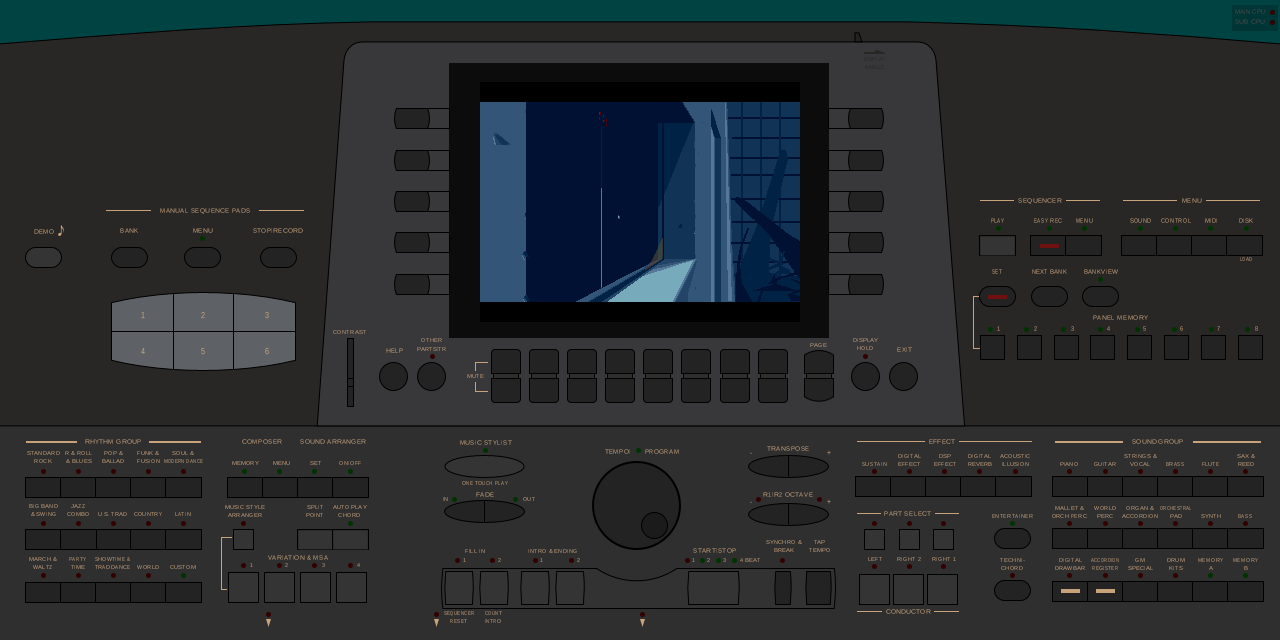 Another World’s intro cinematic rendered on the KN5000 LCD via the MAME emulator.
Extension ROM Mode
Another World can also run as an HDAE5000 extension ROM alongside the original firmware:
cd custom-kn5000-roms/anotherworld
make extension
make test
In this mode, the game is launched from the KN5000’s DISK MENU.
Game 2: Minesweeper
A custom Minesweeper game written in C, compiled with the LLVM TLCS-900 backend. Runs as an HDAE5000 extension ROM — the original firmware boots normally, and the game is activated from the DISK MENU.
See: HDAE5000 Homebrew Development
Prerequisites
- LLVM with TLCS-900 backend (provides
clang,ld.lld,llvm-mc,llvm-objcopy)
Build
git clone https://github.com/ArqueologiaDigital/Mines.git
cd Mines/platforms/kn5000
make
Run
./mame kn5000 \
  -rompath /path/to/mines/romset \
  -extension hdae5000 \
  -window -skip_gameinfo
Activating the Game
After MAME boots the firmware:
- Press the DISK button (top-right area of the control panel)
- Navigate the DISK MENU — look for the Mines Game entry with a mine icon
- Select it to launch the game
The game renders on the KN5000 LCD: a green border, red minefield, and yellow tile markers.
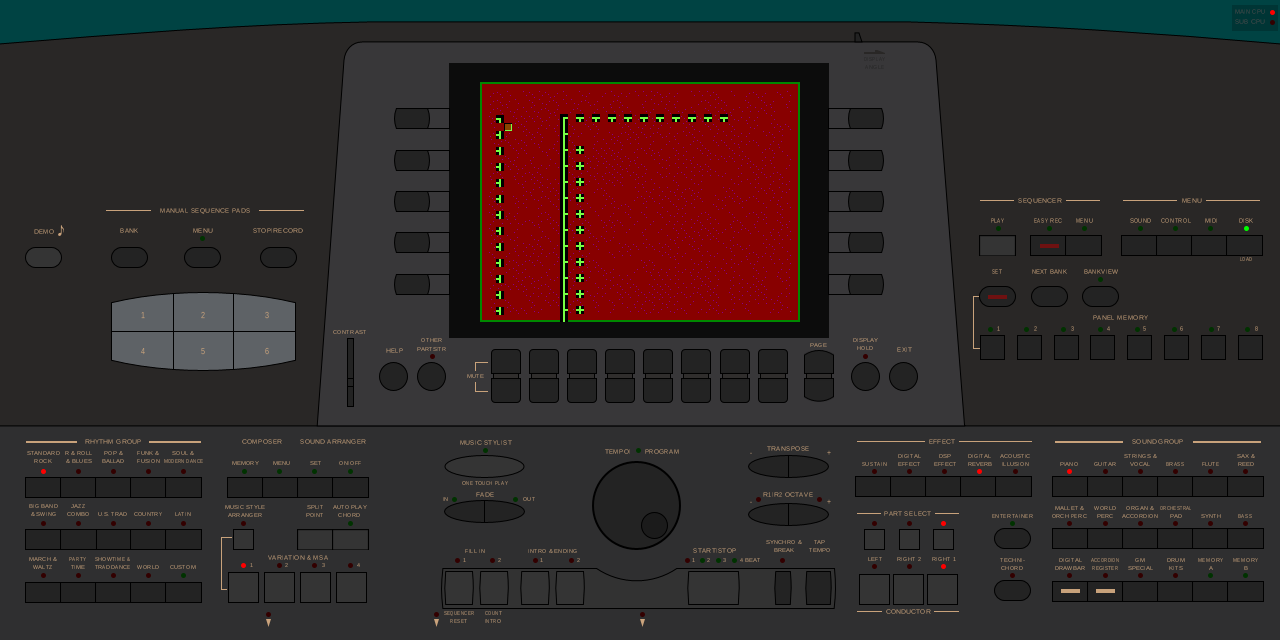 Minesweeper game rendering on the KN5000 LCD. The green border, red minefield grid, and yellow tile markers are drawn by the HDAE5000 extension ROM.
Note: The game currently requires MAME’s
-seconds_to_runflag or a Lua script to automate activation for headless testing. For interactive play, just navigate the DISK MENU as described above.
Game 3: App Loader
A generic program launcher that loads applications from a FAT16 hard disk image. Multiple games can be installed on a single disk.
Prerequisites
- ASL Macro Assembler
mtools(for FAT16 disk image creation)
Build
cd custom-kn5000-roms/apploader
make
Run
./mame kn5000 \
  -rompath /path/to/apploader/romset \
  -extension hdae5000 \
  -hard /path/to/disk.hd \
  -window -skip_gameinfo
Disk format: Use raw
.hddisk images, not CHD format. If you have a.imgfile:cp disk.img disk.hd
Using the Menu
After the firmware boots and the DISK MENU loads the App Loader:
- RIGHT UP / RIGHT DOWN — Navigate the app list
- LEFT ENTER — Launch selected app
- LEFT EXIT — Return to menu
Controls Reference
The KN5000 has no joystick or D-pad — games use the soft buttons along the edges of the LCD screen. In MAME, these map to keyboard keys.
| Button | Location | MAME Key |
|---|---|---|
| LEFT 1-2 | Left of LCD (top) | See MAME input config |
| LEFT 3-5 | Left of LCD (bottom) | See MAME input config |
| RIGHT 1-3 | Right of LCD (top) | See MAME input config |
| RIGHT 4-5 | Right of LCD (bottom) | See MAME input config |
| DISK | Top-right panel | See MAME input config |
| DEMO | Top-left panel | See MAME input config |
To see or change key bindings, press Tab in MAME and navigate to Input (This Machine).
Troubleshooting
“THIS SYSTEM DOESN’T WORK” warning
This is normal — the KN5000 driver is still in development. The warning is skipped automatically with -skip_gameinfo combined with -seconds_to_run N (where N < 300). For interactive use, just press any key to dismiss it.
No sound
Sound emulation is work-in-progress. The tone generator produces basic PCM waveform playback but many sounds are incomplete without the full waveform ROM set (IC304, IC305, IC306 are undumped).
ROM checksum mismatch warnings
If you’re using custom ROMs (Another World, Mines), MAME will report checksum mismatches for the modified ROM files. This is expected — the game ROMs intentionally differ from the original firmware.
Disk image not loading
- Use raw
.hdformat, not CHD (.chd) - Ensure the image is a valid FAT16 filesystem
- Convert from
.img:cp disk.img disk.hd
Game doesn’t appear in DISK MENU
- Make sure you passed
-extension hdae5000to MAME - The HDAE5000 extension ROM must be in the ROM set as
hd-ae5000.ic4 - Press the DISK button to enter the DISK MENU
For Developers
Want to write your own game for the KN5000? See:
- HDAE5000 Homebrew Development — full SDK and build pipeline
- App Loader — disk-based application framework
- Another World VM — full game port as reference
- Display Subsystem — framebuffer and palette details
- Memory Map — available address space